SVG TO PNG · YOUR SIZE, YOUR BACKGROUND
SVG to PNG Converter
Render vector logos and icons as PNGs at the size you choose. Keep transparency, convert a batch and download a ZIP.
100% free · No signup · No uploads
Free batch conversion. No conversion quotas. Actual capacity depends on your device’s memory and browser. Large batches are processed one image at a time.
01 / YOUR IMAGES
Bring your images.
Drop images here
or choose multiple files from your device
SVG · PNG output · transparency preserved by default
Files are processed only in your browser — nothing is uploaded.
Adding more images resets previous results. Originals stay untouched.
Static SVG artwork only. Local fonts can change text appearance; convert text to paths for consistent logos. External images/fonts, foreignObject and animation are unsupported. Originals stay untouched.
02 / YOUR RESULTS
Ready when you are.
Your images stay here.
Choose your files, adjust the settings, then start. Previews, file sizes, and downloads will appear here.
100% free · No signup · No uploadsTotals compare successful files only. Savings are not guaranteed.
ZIP includes successful conversions only. Very large archives may exceed ZIP or device limits; individual downloads remain available.
SEE THE OUTPUT
A real conversion, side by side.
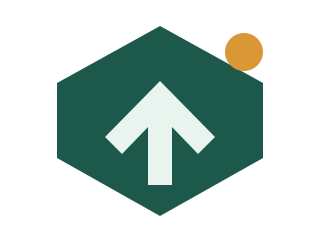
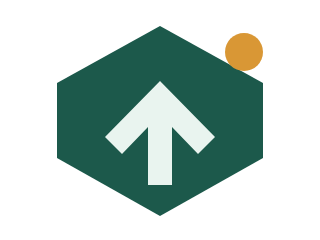
The same transparent logo, before and after a real browser conversion. The PNG is a fixed grid of pixels; the SVG remains the scalable master.
THREE SIMPLE STEPS
A lighter workflow.
Choose SVG files.
Drop logos or icons, or try the bundled sample. Files stay in your browser.
Set size and background.
Choose width and height, or 1×/2×/3×. Transparent is the default; white and a custom color are optional.
Render and download.
Your SVG is loaded as an image, drawn to a canvas and exported as a PNG. Save individually or as a ZIP.
WHY PICUPLIFT
What changes when you rasterize?
| Feature | PicUplift | SVG source |
|---|---|---|
| Ready for PNG-only upload forms | ✓ | ✗ |
| Fixed export dimensions | ✓ | ✓ |
| Transparent background supported | ✓ | ✓ |
| Enlarge without raster pixelation | ✗ | ✓ |
| Processed locally in your browser | ✓ | ✓ |
Swipe or scroll sideways to see all columns.
GOOD TO KNOW
A few clear answers.
Does SVG to PNG preserve transparency?
Yes. Transparent is the default background and PNG keeps alpha. A background rectangle already drawn inside your SVG remains part of the picture. White or a custom color fills only transparent areas.
How is the default export size chosen?
The first SVG’s width and height are used, including absolute units converted to pixels. Otherwise its viewBox is used; if neither gives a usable size, the page shows a 512 × 512 px fallback. The chosen dimensions apply to the whole batch.
Why can text look different?
SVG text uses fonts installed on your device. A missing font can change the result. Convert text to paths in a vector editor before exporting a logo that must look consistent.
Can my SVG use external images or fonts?
No. External images, fonts and stylesheets are rejected, along with foreignObject and animation. Use self-contained paths and shapes. The tool does not fetch resources referenced inside an SVG.
Can an SVG script run on this page?
No. SVG source is never inserted into the page. A detached XML document is read only for validation and dimensions; rendering uses an Image loaded from a Blob URL, where SVG scripts do not execute.
Why is PNG larger, and are there limits?
PNG stores raster pixels, so a logo may be larger than its SVG source. Reduce export dimensions or compress the PNG. Exports are limited to 8,192 px per side and 16,777,216 pixels total to protect memory. Browser and ZIP capacity can impose lower limits.